Should You Pay for Google Ads, or Fix Your Profile First?
Before you pay Google for clicks or leads, fix the free profile your ads lean on. Here's how Google Ads and Local Services Ads charge, and what to fix first.


On this page
Quick answer
For most local trades, fix your Google Business Profile first, then decide on ads. Google says there's no way to pay for a better spot in the free local results, and its Local Services Ads rank you partly on your rating, your number of reviews and how fast you respond. A thin profile and a phone that goes to voicemail make every paid lead cost more and book less. Once the profile is complete, the reviews are coming in and calls get answered, ads can be worth testing with a small budget.
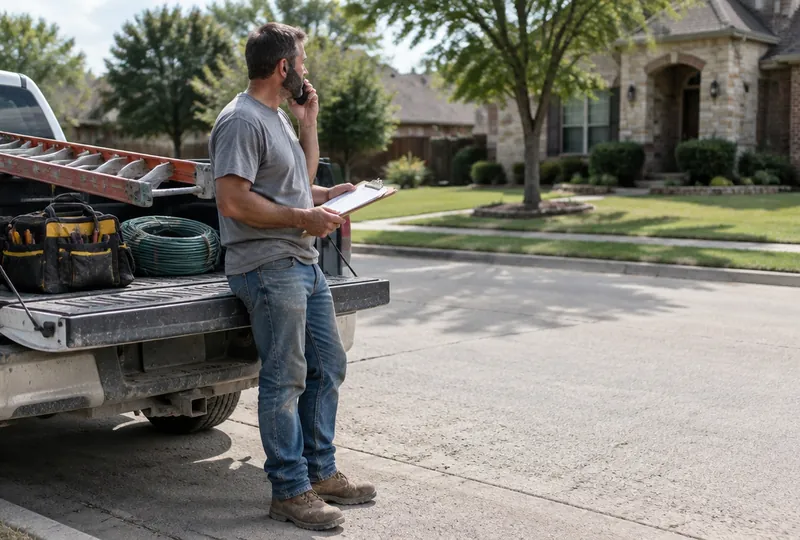
A guy from an ad agency calls while you're on a roof. He says your competitors are "showing up above you on Google" and he can fix that for a monthly fee plus ad spend.
The question is whether ads are the fix, or whether you'd be paying to send customers to a profile that sends them away.
The short answer: fix the profile first
For most local trades, the order is profile first, ads second.
Here's why. Google says there's no way to request or pay for a better local ranking in its free results.1 Ads buy you a separate, labeled spot. And the ads Google built for local trades lean on the same things a good profile has: reviews, photos and a phone that gets answered.2
So if your profile is half-empty, ads don't fix that. They just put more people in front of it.
What you're buying with Google Ads
Regular Google Ads search campaigns charge by the click. Google says you pay for each click on your ads, and you set the most you're willing to pay for one.3
A click isn't a call. Some people who tap your ad call. Some look around and leave. Two things owners don't expect:
- Your daily budget is an average, not a cap. Google says a campaign can spend up to twice its average daily budget on a given day, and no more than 30.4 times that daily budget over the month.4
- The ad stops when the money stops. Every click is rented. Nothing you pay for builds up.
Local Services Ads: paying per lead instead
Google also has Local Services Ads, which Google says are shown prominently in search results when people search for the services you offer.5 Here you pay for leads instead of clicks: calls and messages that come through your ad.5
Google says you're charged for each valid lead, and that lead prices vary by your location, the job type, the type of lead and how you bid.6 Leads it decides are invalid or low quality aren't charged, and charged leads can get credited later if they turn out poor.6
Read the next part twice. Google counts it as a valid lead when you miss a call during your business hours and the customer stays on the line for more than 20 seconds.6 And if the call goes to voicemail during business hours, it's charged if they stay on past 20 seconds, whether or not they leave a message.6
So the call that rang out while you were under a sink? You may have paid for that one.
Why the profile decides what the ads cost
Local Services Ads aren't sold to whoever pays the most. Google ranks them in an auction that takes in your bid and your overall profile quality.2
What does Google count as profile quality? It names your rating, number of reviews, average response time, high-quality images and the verification checks you've completed.2 Google says higher-quality profiles may rank higher and may also pay lower costs per lead.2
It also says missed calls may hurt your responsiveness, which is part of how likely your ad is to get a lead.2
Put that together. Nine reviews, no photos and a phone that goes to voicemail at 2pm means you can pay more to show up lower. The difference is stuff you can fix for free.
The free side of the map
The free local results don't take money at all. Google says they're mainly based on relevance, distance and prominence.1
You can't move your shop closer to every customer. But you can work on the other two:
- Relevance: Google says to give it complete and detailed business info so it can match you to the right searches.1 That's your category, your services list and your service area.
- Prominence: Google says this is based partly on how many reviews you have, and that more reviews and positive ratings can help your local ranking.1
And customers read those reviews before they call anyone, ad or no ad. In BrightLocal's 2025 survey, just 4% of consumers said they never read online business reviews.7
If you haven't been through your profile field by field, start with our Google Business Profile setup checklist. It's about an hour.
When paying for ads makes sense
We're not against ads. They earn their keep when:
- The profile is already in good shape and someone answers every call during your hours.
- You need work faster than reviews can build. New business, new town, or a slow month coming.
- Your jobs are worth it. A roof replacement can absorb a lot of ad cost. A $150 service call can't.
- You'll track jobs, not clicks. If you can't say how many jobs last month's spend booked, you can't say if it worked.
They lose money when calls go to voicemail, when nobody checks jobs booked against spend, or when ads are covering for a missing foundation. Turn them off and the phone goes quiet, the same trap we wrote about in are paid leads worth it.
A simple order to do it in
- Finish the profile. Category, services, service area, hours, photos.
- Ask every customer for a review. Same text, every job, from the driveway.
- Fix the missed calls. If you can't pick up on a roof, make sure a missed call still gets an answer. Here's what happens when you miss a call from a new customer.
- Then test ads with a small budget. Track every booked job. Keep what books jobs, cut what doesn't.
The bottom line
Ads can rent you a spot. Your profile is the spot you own. Google won't sell you a better place in the free results, and its local ads charge more and rank lower when the profile is thin and the phone rings out.
Fix the free stuff first. Then, if you still want ads, you'll be paying to send customers somewhere worth landing.
Frequently asked questions
Are Google Ads and Local Services Ads the same thing?
No. With regular Google Ads search campaigns you pay for clicks on your ad. With Local Services Ads you pay for leads, like a call or a message that comes through your ad. Both are billed through Google Ads, but they work and charge differently.
Can I pay Google to rank higher on the map?
Not in the free results. Google says there's no way to request or pay for a better local ranking. Ads are a separate, labeled spot you pay for, and they stop showing when the money stops.
How much should I spend to test Google Ads?
There's no right number for every trade, so start with an amount you'd be fine losing for a month while you learn. Remember that Google says a campaign can spend up to twice its average daily budget on a given day. Judge it by jobs booked, not clicks or calls.
Do I get charged if a Local Services lead is junk?
Google says leads it decides are invalid or low quality aren't charged, and it can credit charged leads later if they turn out to be poor quality. You can also flag a bad lead in the feedback survey. Check your Leads page so you know which ones were credited.
Do I need reviews before I run Local Services Ads?
You can run them without many, but Google says your rating and number of reviews are part of what decides where you show and what you pay per lead. Getting a steady flow of reviews first is cheap and pays off either way.
Sources
- Google Business Profile Help. Tips to improve your local ranking on Google. support.google.com
- Local Services Help. About ad rankings. support.google.com
- Google Ads Help. Cost-per-click (CPC): Definition. support.google.com
- Google Ads Help. About overdelivery and your average daily budget. support.google.com
- Local Services Help. Getting started with Local Services Ads. support.google.com
- Local Services Help. How leads work. support.google.com
- BrightLocal (2025). Local Consumer Review Survey. brightlocal.com
Last updated
This article was drafted with AI assistance and edited by the AtlasBooked team, who checked its facts and sources before publishing.
Field Notes is the AtlasBooked team's plain-English guide for local trades: websites, missed calls, reviews and local search. Articles are drafted with AI assistance and edited by the AtlasBooked team before publishing. Sources are linked at the end of each article.